
Best Inventory Management Software in Pakistan
SadaPOS is a powerful inventory management software for small business and retail stores across Pakistan. Manage your stock on mobile or desktop even without internet, track items in real time, receive low-stock alerts, and connect with the premier POS software in Pakistan.
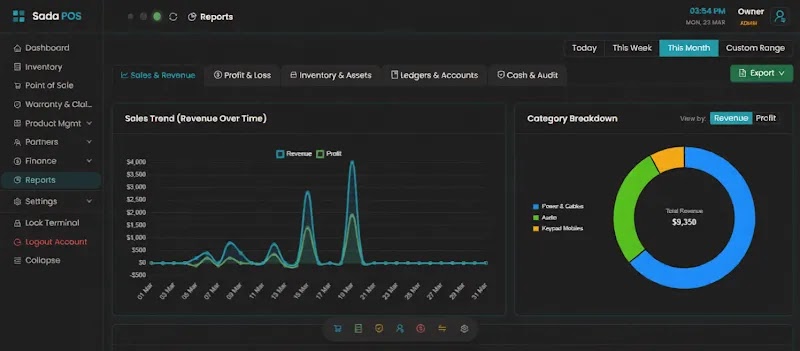
Trusted by 5,000+ businesses across Pakistan
Join the leading businesses already using SadaPOS inventory management software
What is Inventory Management Software?
Inventory management software is a digital tool that helps businesses track, manage, and control their stock efficiently. It records incoming and outgoing inventory, monitors stock levels in real time, manages multiple warehouses, and helps businesses maintain accurate stock records while reducing the risk of overstocking or stockouts.
SadaPOS inventory management software combines stock tracking, multi-counter management, low-stock alerts, barcode scanning, purchase and sales management, and detailed inventory reports in one easy-to-use platform. It helps retailers, wholesalers, distributors, and manufacturers streamline inventory operations, reduce stock errors, and monitor their business from desktop or mobile devices.
What Makes SadaPOS Inventory Software Fit for your Business
From live stock visibility to professional tax reports, here's how SadaPOS handles the day-to-day work that eats up an owner's time.
Live Stock Visibility
See what's in stock, what's selling, and what needs reordering from one screen, whether you're at the counter, the godown, or checking from home. No manual counting.
- •Check live stock levels across all your locations and devices in one dashboard.
- •Compare fast-moving and slow-moving items at a glance.
- •View stock by category, brand, or item without switching screens.
Inventory Management Software vs Manual / Excel Tracking
| What it handles | Manual / Excel Tracking | SadaPOS Inventory Management Software |
|---|---|---|
| Stock updates | Entered by hand after every sale or purchase | Updates automatically the moment you bill, purchase, or record a return |
| Accuracy | One wrong formula or missed row throws off the whole count | System-calculated, no formulas to maintain or break |
| Low stock warnings | You have to remember to check the sheet | Automatic alerts before an item runs out |
| Multiple locations | A separate sheet per shop or godown, hard to consolidate | Every warehouse or branch in one dashboard |
| Stock valuation | FIFO cost worked out by hand, easy to get wrong | Automatic FIFO-based valuation with item-wise cost tracking |
| Tax & Profit reports | Calculated separately, often mismatched at filing time | Tax-ready profit reports generated directly from your stock and sales data |
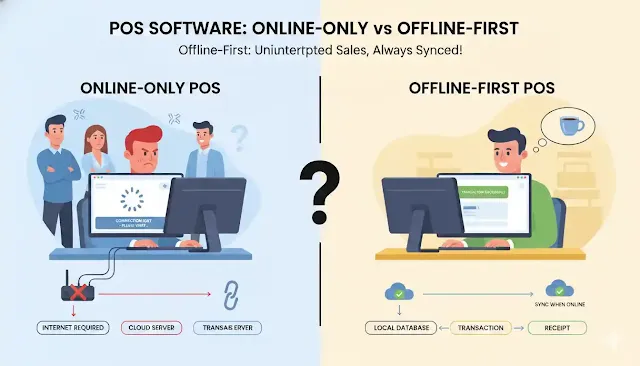
| Access without internet | Works offline but doesn't sync across devices | Works offline and syncs automatically once you're back online |
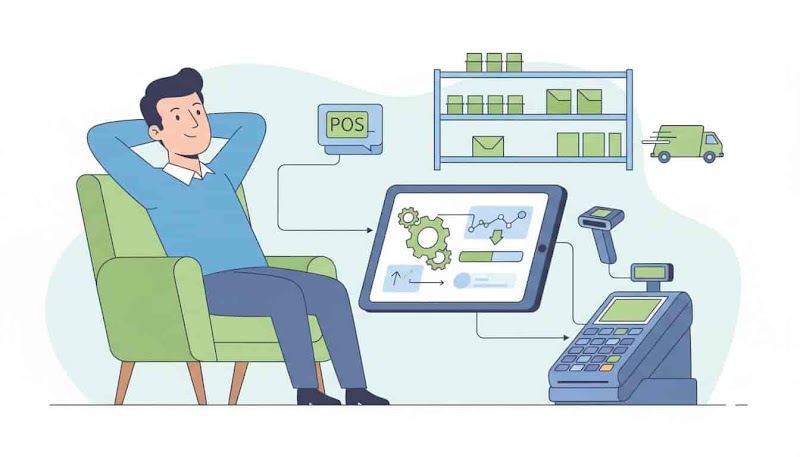
Spreadsheets are fine for a handful of products, but they don't update themselves, and every manual entry is a chance for your stock count to drift from reality. SadaPOS Inventory Management Software replaces the spreadsheet with a system that updates on its own, tracks stock value, and stays ready for tax filing, so your numbers match what's actually on the shelf.
Key Features of Inventory Management Software
Automatic Stock Update – Zero Manual Errors
Every sale, purchase, or return updates your inventory instantly. Your stock count remains accurate without any manual data entry.
- Eliminate manual stock entry errors completely
- Sync inventory across billing, purchases, and returns
- Reduce stock mismatches and reconciliation effort
- Save hours of daily operational time
How it works:
Every transaction (invoice, purchase, return) automatically updates stock levels in real time. The system connects all inventory actions to ensure consistent data.
Key Benefits:
- Maintain 100% accurate stock records.
- Reduce operational workload and dependency.
- Avoid revenue loss caused by incorrect stock.
Mini use case:
Keep stock updated in real time as transactions happen, eliminate mismatches, and maintain accurate inventory effortlessly.
Key Integrations of SadaPOS Inventory Management Software
SadaPOS's inventory management software connects with the tools and hardware you already use at the counter, so stock stays accurate without extra manual work.
SadaPOS Billing Software
Every invoice you create updates your inventory the same second, so billing and stock never fall out of sync.
Explore SadaPOS billing software to see how it all connects.
Accounting Software
Stock movements flow straight into your books, so purchases, sales, and stock value stay accurate without manual reconciliation.
See how SadaPOS handles your daily accounting needs.
POS System
Run a full billing counter with barcode scanning, cash drawer, and receipt printing working together in one setup.
Learn more about our POS billing software.
Barcode Generator
Generate and print barcodes for every item in your inventory, so counter staff scan instead of search.
Try SadaPOS's free barcode generator.
Thermal Printer
Print professional receipts in seconds on 2, 3, or 4-inch thermal paper over Bluetooth, Wi-Fi, or USB cable.
Check out our guide on thermal printers.
Weighing Machine
Connect a USB or Bluetooth weighing scale and SadaPOS pulls the exact weight straight into the bill for loose items.
See the full hardware integration guide.
Who Can Use Inventory Management Software
As the leading inventory management software for retail business and general stores, SadaPOS lets you:
- -Track daily stock automatically with real-time updates
- -Avoid stockouts on fast-moving FMCG items
- -Enable simple barcode billing with instant stock deduction
- -Monitor profit margins product-wise
- -Generate accurate daily sales reports
How SadaPOS Inventory System Works
Watch how SadaPOS Inventory Software helps retail businesses automate stock tracking, create fast bills, and manage daily operations.
Create Free Account
Sign up for SadaPOS on your phone or desktop to get started in seconds.
Add Your Products
Add inventory items manually or import your existing product list via Excel.
Start Fast Billing
Create invoices and track stock automatically deducted with every transaction.
Grow Your Business
Use low-stock alerts and detailed profit reports to make smarter decisions.
Secure Your Data,
Secure Your Business
SadaPOS protects your inventory, sales records, and customer ledgers with heightened security, offline encryption, and automated cloud sync.
Encrypted PIN & Role Access
Securing your store's sensitive financial data by restricting staff access with authenticated, encrypted PINs.
End-to-End Encryption
We protect your business records with strict encryption protocols both offline on your device and during cloud sync.
Multi-Layer Cloud Backup
SadaPOS is backed up with automated cloud sync to ensure you never lose a single invoice or stock entry.
Boost Your Mobile Business with SadaPOS Features
A complete suite of business-driven tools designed to handle every aspect of your mobile and accessories store.
IMEI & Serial Tracking
Warranty Management
Purchase & Vendors
Multi Store Sync
Cash Drawer Link
Expense Tracking
Custom Invoices
Barcode Integration
Customer Ledgers
WhatsApp Integration
Offers & Discounts
Multi Device Sync
Flexible Pricing for Every Stage of Your Business
We offer plans that match your needs. Start for free and upgrade only when your business grows. No hidden fees.
Growth Plan
Perfect for growing shops. More items, more staff, more sales.
- ✓ Offline-First Technology
- ✓ Point of Sale (POS)
- ✓ Customer & Supplier management
- ✓ 1 Staff Account (Encrypted PIN)
- ✓ Reports & analytics
- ✓ Warranty system
- ✓ 1 Billing Counter
- ✓ Bank & Wallet Accounts
Pro Plan
Advanced tools for growing businesses requiring more staff and support.
- ✓ Everything in Growth, Plus:
- ✓ 2 Staff Accounts (Encrypted PIN)
- ✓ Priority support & Custom reports
- ✓ Warranty system
- ✓ 3 Billing Counters
- ✓ Wholesale & Retail Pricing
- ✓ Rack & Shelf Location
Scale Plan
Unrestricted resources for large-scale operations requiring maximum capacity.
- ✓ Everything in Pro, Plus:
- ✓ 4 Staff Accounts (Encrypted PIN)
- ✓ Priority support & free setup
- ✓ All features unlocked
- ✓ Up to 10 Billing Counters
- ✓ Batch & Expiry Tracking
- ✓ FBR POS Integration
- ✓ Financial Balance Sheet
- ✓ Stock Flow Audit Logs
- ✓ Master Data Export
Frequently Asked Questions
Find answers to common questions about SadaPOS inventory management software. Our support team is here to help anytime.
What is inventory management software?
Why choose billing software with inventory management?
Why switch from Excel to SadaPOS inventory management software?
How can SadaPOS help me save time on inventory management?
Does SadaPOS inventory management software work offline?
Can I access inventory data on the SadaPOS mobile app?
Can I get a free trial of SadaPOS Inventory Management Software?
Can I manage inventory across multiple branches using SadaPOS?
Can I receive alerts for stock-outs and low-stock items?
Can SadaPOS inventory software automatically update stock after sales?
Does SadaPOS support batch and expiry tracking?
Can I connect barcode scanners with SadaPOS inventory software?
Can I add more users in SadaPOS and assign roles to them?
Can I add, update, or delete products in bulk using SadaPOS?
Does SadaPOS help generate automated inventory reports?
Start Managing Your Mobile Shop Smarter Today
Join thousands of mobile and electronics retailers who trust SadaPOS for their daily operations. Get started in minutes, not days.